
- “Without blade” identifies a missing mechanical component, but it does not establish which electronic parts or accessories the listing includes.
- A replacement shell and a remote key are different purchases; confirm whether the item contains electronics rather than relying on its appearance.
- The BMW 7 Series name alone cannot confirm compatibility, because keys and vehicle key systems can differ across versions.
- Matching button count is a useful visual clue, not proof that a replacement remote will work with the vehicle.
- Remote-button operation, engine-start authorisation and mechanical access are distinct functions, so one working function does not verify the others.
- A newly purchased remote may require vehicle-specific setup before use; confirm the applicable requirements rather than assuming it will work on arrival.
A BMW 7 Series remote advertised “without blade” tells you that the metal key blade is not included. It does not tell you whether the fob contains working electronics, matches your car or needs further setup. A photo of a complete-looking remote cannot answer those questions on its own.
Before ordering, compare the listing with the key you already use and the details you have for your vehicle. Read what the seller says is included, rather than relying on the title: listings described as a “remote,” a “shell” or “without blade” may contain different parts. If the description does not make the contents clear, ask before buying. Do not assume that a missing blade is the only part you will need to sort out.
When comparing a BMW 7 Series remote key without blade on car-keys.lt, treat the blade, the fob’s contents, vehicle compatibility and setup as separate checks. The sections below explain what to look for in each one, so you can identify gaps in a listing before placing an order.
What “without a blade” tells you
A BMW 7 Series remote key listed “without a blade” is being sold without the metal piece that serves as the mechanical key. On some key designs, that piece is a removable insert; on others, the arrangement differs. The phrase identifies a missing physical component, not the precise design of the remote you will receive. It also tells you nothing definite about the other parts included in the listing.
First, decide whether you need a mechanical blade as part of the finished key. If you do, a blade-free listing leaves that need unresolved: you must establish whether a suitable blade is available separately and what would be required to make it usable. If you do not need one for your intended use, the omission may matter less, but it should still be a deliberate choice rather than something noticed after ordering.
Do not assume you can move the blade from your current key into a replacement. Check whether it can be removed without damage and whether the replacement has a matching place to secure it. A blade that looks roughly the right size in a photograph is not proof that its mounting end will fit. If your existing blade is worn, damaged or missing, transferring it may not be a workable plan even if the design allows removal.
Read the exact product description rather than relying on the title alone. “Without blade” may be used briefly in a headline while the description gives a more precise account of what is omitted. Look for clear wording about whether a metal insert is absent and whether any blade shown is included. A photograph may show a sample key, hide the blade from view or illustrate a configuration different from the item supplied; it cannot settle that question by itself.
For a blade-free BMW 7 Series replacement remote, the practical takeaway is narrow: plan for the mechanical piece separately unless the listing explicitly says it is included. Leave any broader conclusions about the remote itself for separate checks.
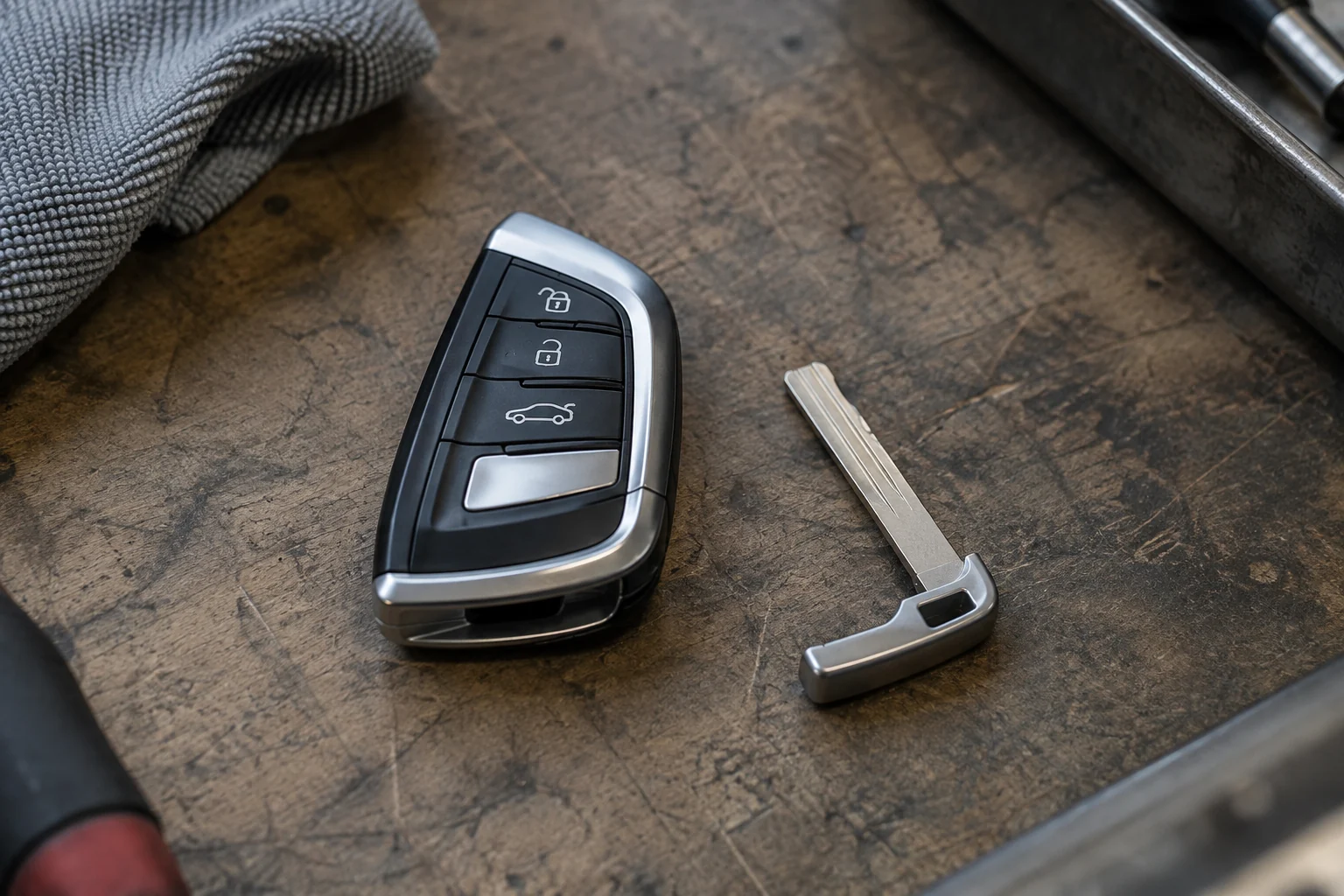
Is the item a remote key or an empty shell?
For a BMW 7 Series remote key without a blade, the first question is whether the purchase includes electronics or only the outer housing. An empty shell may include a case, button pad and internal supports, but no circuit board. An electronic remote should include the components inside the housing, although its exact contents still need checking. The difference matters: a shell is a replacement for physical parts, not a complete electronic key.
Read the contents description rather than relying on the product name. Look for an explicit statement that a circuit board or electronic module is included. Then check what it says about the housing, buttons, battery and any other parts shown. “Key case,” “cover” and “shell only” point towards a housing, while “remote” in the title is not, by itself, confirmation that electronics are supplied. If the description says “no electronics,” treat that as decisive unless the seller corrects it.
Pay attention to what a listing does not specify. “Includes buttons” might mean rubber button pads or plastic covers, not working electronic switches. “Battery included” tells you there is a battery, but does not establish that a circuit board is present. Conversely, a listing that mentions a board may still leave the condition or inclusion of other pictured pieces unclear. Make a short inventory of what you need and mark each item as confirmed, excluded or unstated.
Product photos are useful for identifying questions, not settling them. A photo of an opened case with a board inside may illustrate how the product looks when assembled; it may not show everything in the package. Likewise, a main image showing a complete-looking key can accompany a shell-only listing. Check whether the seller labels images as examples, shows multiple variants or specifies that accessories in the photographs are not included. If there are several images, do not assume each depicts the same supplied item.
When the title, pictures and written description disagree, ask the seller a narrow question about the actual contents of the specific listing: “Does this item include the electronic circuit board, or is it only the housing and buttons?” If another pictured component matters to you, name it separately and ask whether it is supplied. Keep the reply with the order details. Until the contents are confirmed, compare the offer as an uncertain package, not as a BMW 7 Series replacement remote with everything pictured included.
How to check whether the remote matches your 7 Series
Start with the vehicle, not the shape of the key. “BMW 7 Series” covers multiple vehicle versions, so a listing that names the model without narrowing it down is not enough to establish compatibility. Record the vehicle identification number (VIN) and, if you know them, the production date and model generation. Use the production date rather than relying only on the registration year: a car registered in one year may have been built earlier. These details give you a way to check a seller’s claimed fitment against information for your particular car.
Next, record what you can see on your existing key. Look for a part number, manufacturer marking or other identifier printed on the case, and note the case design and button layout. Photograph the markings clearly so you can compare them with the item offered. Do not force open a working key just to look for a number inside it. If the original is lost, damaged or has an unreadable marking, use vehicle-specific records instead of treating a similar-looking online listing as the next best proof.
Compare the seller’s actual item identifier with a reliable vehicle-specific reference, such as part information checked against the VIN through a BMW parts department or an appropriate parts catalogue. Ask the seller for the product or part number and any stated specifications needed to distinguish versions; a broad heading such as “7 Series replacement remote” is not a substitute. Check whether the listing identifies the same item shown in its fitment information, rather than borrowing a general compatibility list for several products.
A number on the offered remote does not always have to look identical to the number on an older key, but a difference needs an explanation supported by vehicle-specific part information. For example, if a seller says one part number replaces another, check that relationship before treating the two as interchangeable. Likewise, a claim that a remote suits a particular year or generation should be checked against your car’s details, not repeated as an established match.
Button count helps you rule out an obvious mismatch, but it cannot confirm BMW remote key compatibility on its own. Two cases can have the same number of buttons and a similar outline while carrying different identifiers or specifications. Conversely, a photo may show a representative design rather than the exact version being offered. Treat appearance as a cross-check after the identifiers, not as the deciding test.
Before ordering, reconcile all three: your vehicle-specific reference, the details of your existing key where available, and the seller’s identifier for the offered remote. If a number is missing, the stated fitment conflicts with the vehicle record, or the photos and specifications point to different versions, the match remains unconfirmed.
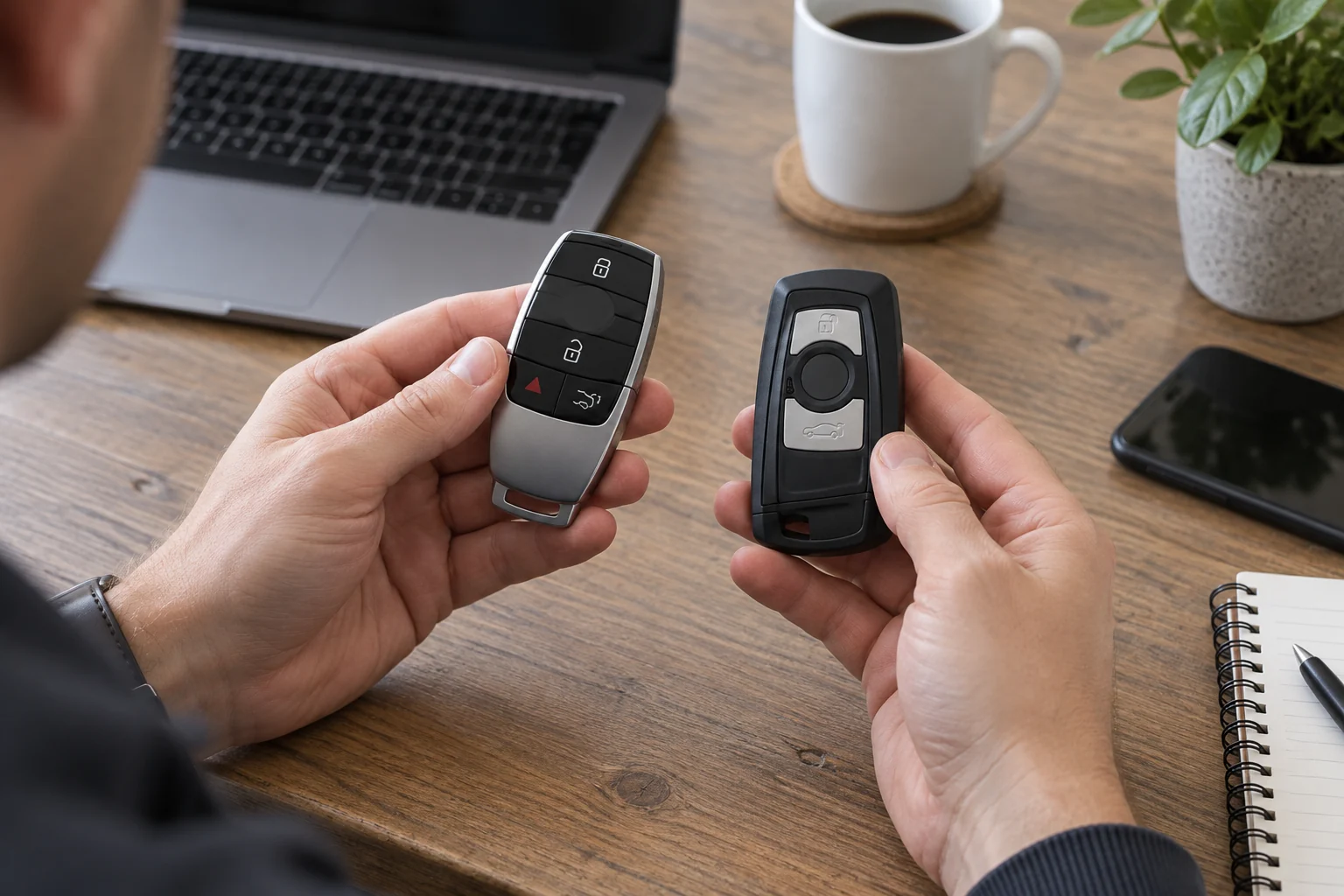
Why buttons, starting and mechanical access are separate checks
When assessing a BMW 7 Series remote sold without a blade, treat unlocking by button, starting the engine and opening a lock mechanically as three separate outcomes. A demonstration of one does not establish the others. Decide which outcomes you need before treating a listing’s claim that the key “works” as useful evidence.
Remote-button operation means the vehicle responds to a command such as lock or unlock. A button that clicks or lights up only shows that something happens at the key; it does not show that the car receives and accepts the command. Even a video of the doors unlocking needs context: it should be clear that the offered remote, rather than another key nearby, caused the response. Remote operation alone does not prove the item can authorise an engine start.
Engine-start authorisation is a separate check. The vehicle must recognise the key for starting, regardless of whether its buttons operate. If a car starts while another working key is inside or close to it, that result cannot reliably be attributed to the proposed replacement. Conversely, a key that authorises starting may still have buttons that do not perform the functions you expect. Neither result should be used as shorthand for “fully working.”
Mechanical access concerns using a blade in a physical lock, where the vehicle has an applicable lock. This can matter when electronic unlocking is unavailable, but it is not demonstrated by pressing an unlock button. A blade that opens a door also says nothing about whether the remote buttons or starting function work. Because the offered item is described as blade-free, do not count mechanical access among its demonstrated functions merely because the remote can unlock the car electronically.
Before ordering, pin down what “working” is meant to cover: button commands, engine-start authorisation, mechanical access, or only some of these. Keep the evidence function-specific. For example, a remote-unlock demonstration supports a narrower claim than a demonstration that the same key also starts the vehicle; neither establishes mechanical access. What can be tested and what the item is intended to provide depend on the specific vehicle and key, so leave any unverified function marked as unknown rather than assuming that success in one check completes the other two.
What to settle with the seller before placing an order
Before paying, send the seller a message that identifies the listing and asks them to check the proposed item against your vehicle. Provide the vehicle details and existing-key information they request, such as a VIN, key markings or photographs you have available. Ask whether they have enough information to confirm the match. A general reply that the item “fits a 7 Series” does not answer a question about your car.
Get written confirmation of what will be sent, not just what the listing appears to show. You could ask: “Please confirm the reference on the item you will dispatch, whether it is an electronic remote or a housing only, and whether any blade is included.” If the seller offers variants or may substitute a different unit, ask which version your order will receive. If they cannot identify it before dispatch, treat compatibility as unresolved.
Ask whether the exact remote requires any vehicle-specific setup before use. If the seller describes it as “ready to use”, ask what that means for your vehicle. Where setup is needed, establish who arranges it, whether it happens before or after delivery, and what the person doing the work will need from the seller. If you intend to use a provider in Lithuania, check directly with that provider that they can handle the proposed item. A seller’s suggestion to find someone locally is not confirmation that the work can be done.
If the seller cannot confirm compatibility or setup requirements, check the purchase terms before accepting that risk. Ask what happens if the supplied item proves unsuitable, including whether a return is allowed after opening the package or attempting setup, who pays return postage, and whether any exclusions apply. Check the terms that apply to your order and delivery destination rather than relying on a general statement in the listing. If the possible loss is unacceptable, wait for a more definite answer or choose an item that can be verified.
Keep the seller’s reply with a copy or screenshot of the listing as it appeared when you ordered. Record any agreed reference, supplied-item description and setup arrangement in the same exchange. That gives you something specific to compare with the delivery and with the seller’s terms if the item differs from what was confirmed.
A BMW 7 Series remote sold without a blade is worth considering only if you can confirm what is included and whether it matches your existing key. Check the listing for the circuit board, button layout and identifying numbers; a bare shell is not the same as a working remote. If the photos or description leave those details unclear, ask the seller before ordering rather than judging by the case alone. A remote that looks right may still need a suitable blade and vehicle-specific setup before you can use it.
- What exact item and components will be supplied?
- Which vehicle-specific details are needed to confirm compatibility?
- What setup, if any, is required for this item and vehicle?
- What are the seller’s terms if the item is not as confirmed?
Choose the option that matches your vehicle and situation.
Frequently asked questions
Can I transfer the blade from my old key?
Possibly, but do not assume it will fit the replacement remote. Compare the blade mount and housing on the particular keys, and check that the old blade is suitable for reuse. If either point is unclear, ask a qualified key provider to inspect them before you rely on the transfer.
Does a blade-free remote normally include a battery?
“Without a blade” does not tell you whether a battery is included. Check the listing’s stated contents, including any notes about a battery or other components. If the description is silent, ask the seller to confirm what arrives in the package rather than treating the product photo as an inventory.
What if I no longer have the original key to compare?
Gather your vehicle’s year, model details and VIN, along with any key information you still have in its paperwork. When looking on car-keys.lt, keep those details to hand and seek vehicle-specific identification before ordering. A remote that looks familiar is not enough to establish that it is the right one.
Can a VIN alone confirm which remote I should buy?
A VIN can help identify the vehicle and narrow the search, but it does not replace the specifications of the item being sold. Ask the seller to confirm the remote’s relevant identifiers and suitability for your vehicle, especially if the listing covers several versions or leaves the supplied components unclear.
What if the photos show a blade but the title says “without blade”?
Ask the seller, in writing, whether the blade shown is supplied or whether the image is illustrative. Get an answer that identifies exactly what will be delivered before you order. A photograph and a title that disagree are not a sound basis for assuming the more complete item is included.
Can a previously used remote be set up for another vehicle?
There is no safe general answer for every used remote and vehicle. Before buying, tell a qualified key provider the vehicle details and the exact remote identifiers, and ask whether that particular unit can be set up for your car. Confirm this before treating a lower-priced used item as a workable option.
What should I do if the casing markings on my old key are unreadable?
Do not choose a replacement solely by its shape or button layout. Use your vehicle details and any surviving key documentation to seek a vehicle-specific identification. If a seller requests a marking you cannot read, say so; ask what other evidence they need rather than guessing at the number.
What if the delivered item differs from the confirmed listing?
Keep a copy of the listing as it appeared when you ordered, along with the seller’s written confirmation and photos of what arrived. Contact the seller promptly, describe the difference and ask how to resolve it under the applicable sale terms. Avoid altering the item while the discrepancy is being addressed.
